Update a fork from the original
See what changed in the original collection and bring your copy up to date. · 2 min read
When you fork a collection, your copy remembers where it came from. To get the original's latest changes:
- Open your fork's menu and choose Update from original.
- Check the list of requests that are new, changed or removed in the original.
- Press Update my copy.
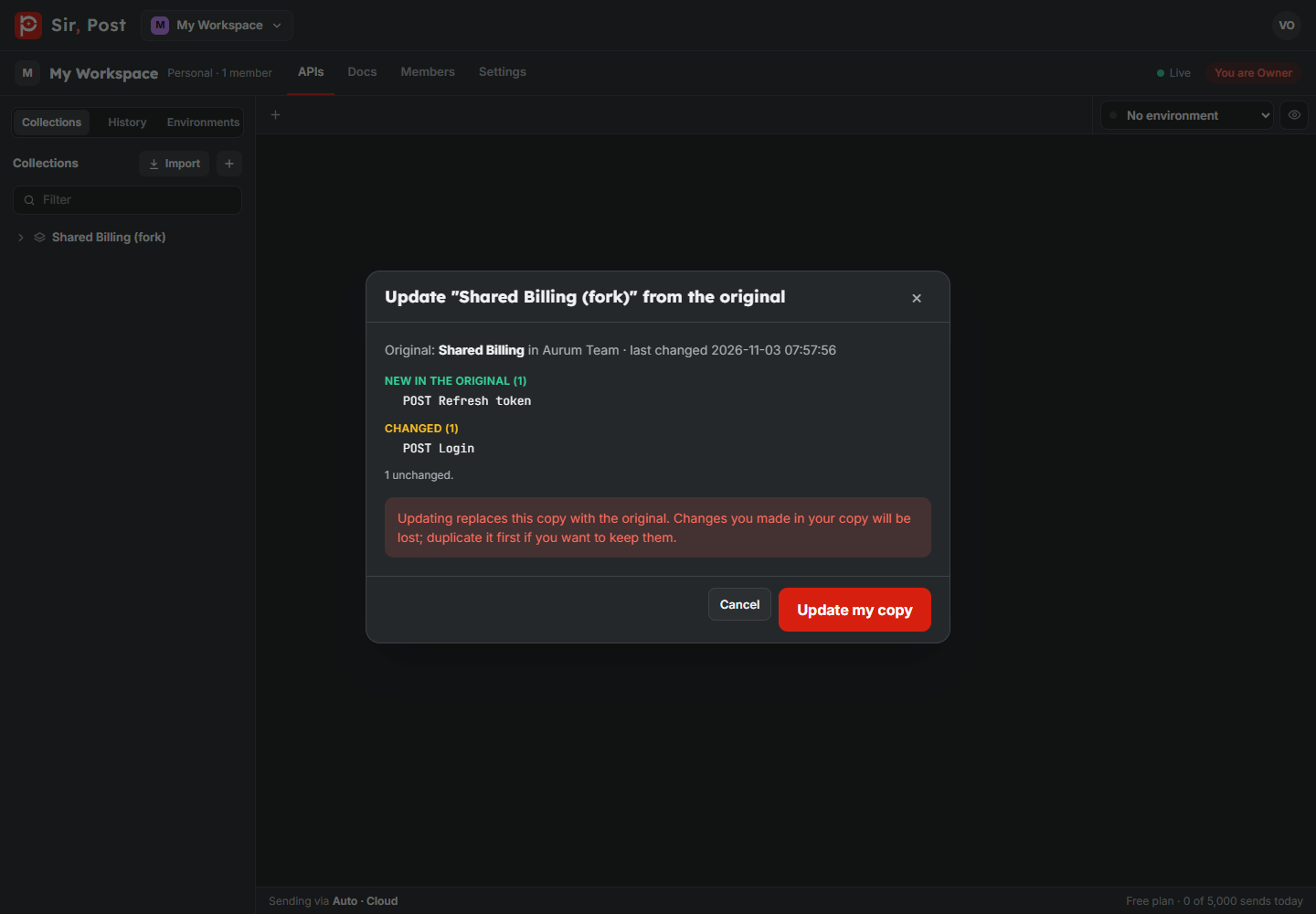
Updating replaces your copy with the original, so changes you made in the copy are lost. If you want to keep them, duplicate your fork first.
If you forked from a public docs link, you get the published version, with the same secrets hidden. When the original is unpublished, or you lose access to it, updates stop.
Did this help? If not, ask us.
Next: Desktop app and local agent →