Scripts and tests
Run JavaScript before a request and check the response after it, with pm.test and pm.expect. · 6 min read
Every request has a Scripts section with two tabs:
- Pre-request runs just before the request is sent. Use it to set variables, add headers or skip the request.
- Post-response runs after the response arrives. Use it to test the response and save values for the next request.
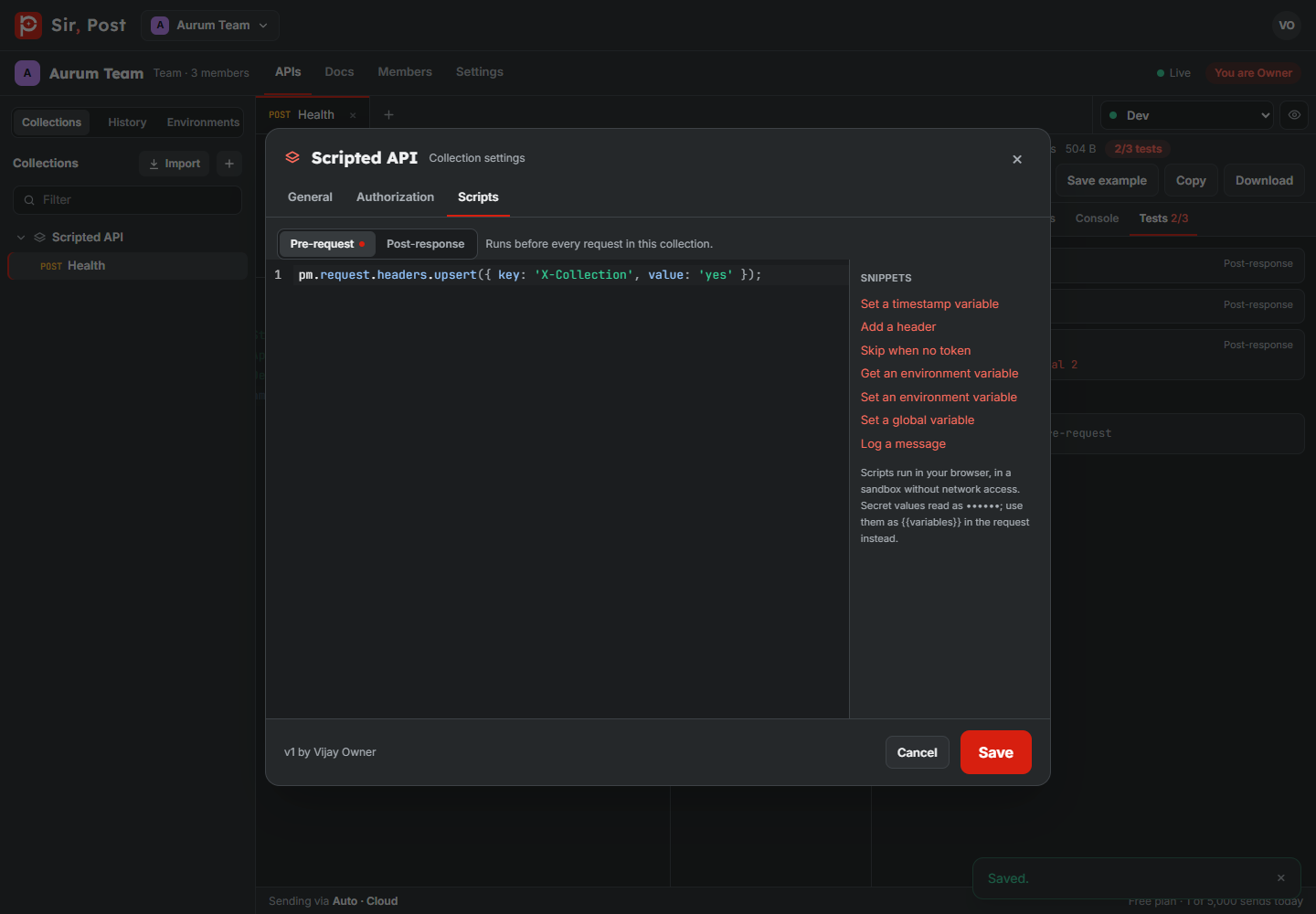
Collections have the same two scripts (collection menu > Scripts). They run around every request in the collection: collection pre-request, then the request's own; after the response, the collection's post-response, then the request's own.
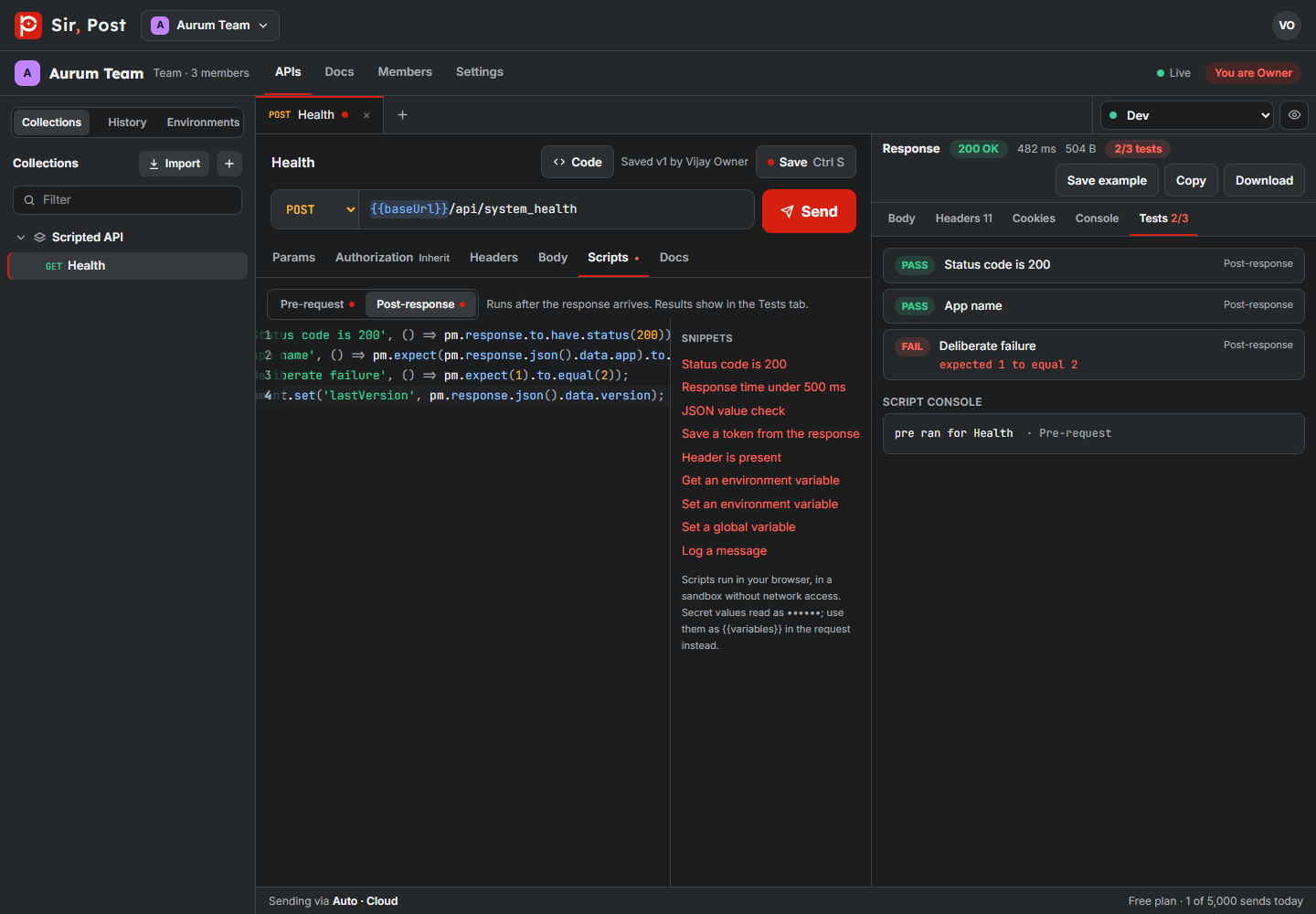
Test the response
pm.test('Status code is 200', () => {
  pm.response.to.have.status(200);
});

pm.test('Returns the bill number', () => {
  const body = pm.response.json();
  pm.expect(body).to.have.property('bill_no');
  pm.expect(body.total).to.be.above(0);
});
Results show in the response's Tests tab, with the reason for each failure. console.log output shows there too.
Chain requests with variables
const body = pm.response.json();
pm.environment.set('token', body.token);
pm.environment.set saves your current value in the active environment, so the next request can use {{token}}. Your teammates' values are not touched. Editors can create a new variable this way; viewers can only set variables that already exist.
pm.variables.set keeps a value for this send only (and for the rest of a Collection Runner run). pm.globals.set writes to Globals.
Change the request before it is sent
pm.variables.set('timestamp', Math.floor(Date.now() / 1000));
pm.request.headers.upsert({ key: 'X-Request-Id', value: crypto.randomUUID() });
if (!pm.environment.get('token')) {
  pm.execution.skipRequest();
}
What scripts can and cannot do
- Scripts run in your browser in a sandbox without network access:
fetchandpm.sendRequestare not available. Use the Collection Runner to call requests in order. - Secret values read as •••••• in scripts. Use them as
{{variables}}in the request instead; the server fills them when sending. For payment signatures, use the Signature Builder. - A script that runs longer than 5 seconds is stopped.
- Scripts are never shown on public docs pages and never copied into forks made from a public link.
Did this help? If not, ask us.
Next: Collection Runner →