Publish API docs
Write docs, save examples, share a public link and let others fork. · 4 min read
Write docs
Every collection, folder and request has a Docs section. Write in Markdown and switch to Preview to check it.
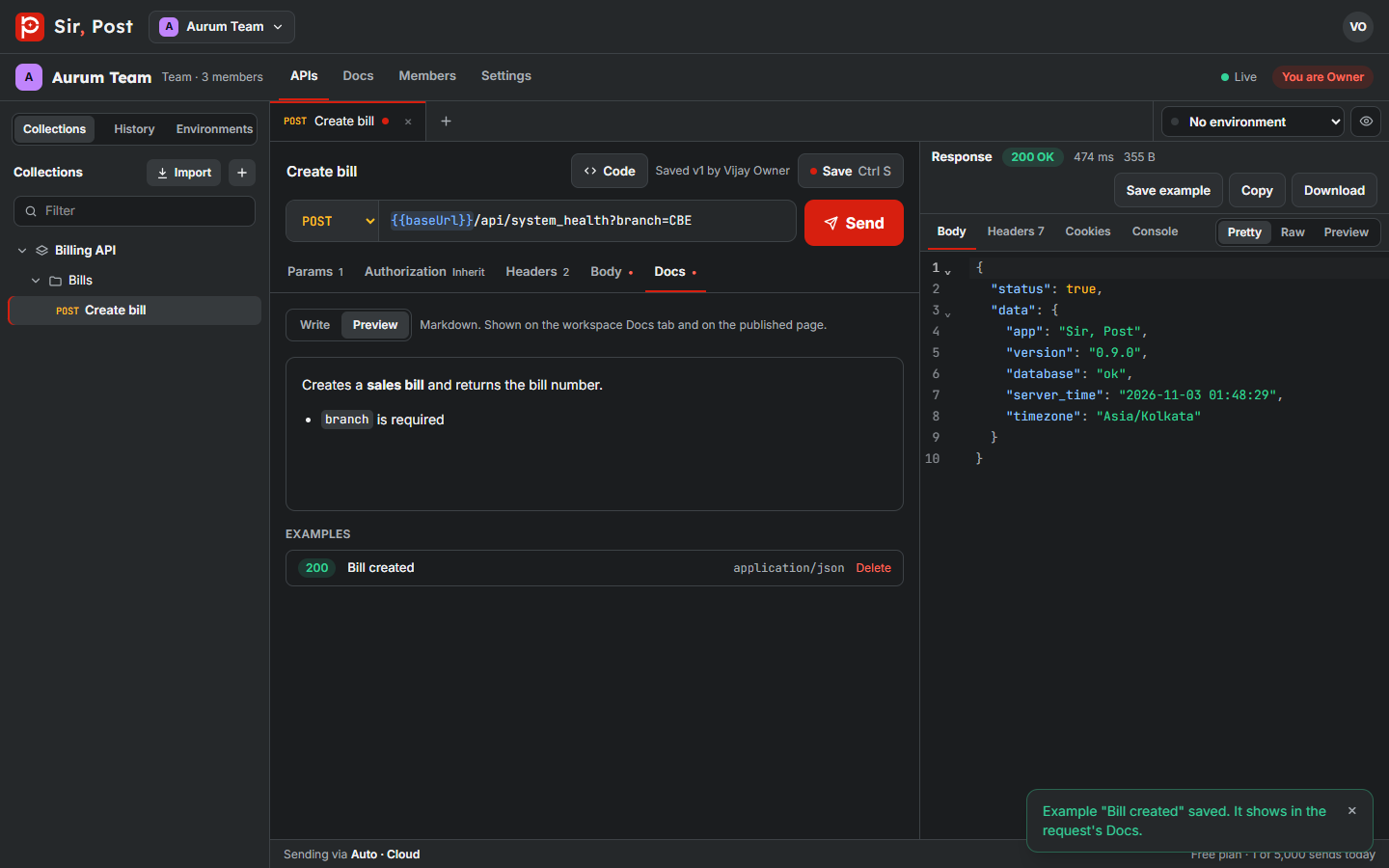
Save examples
After you send a request, click Save example in the response panel. Examples appear in the docs next to the request.
Code samples
Click Code on any request to copy it as cURL, JavaScript, Python or PHP.
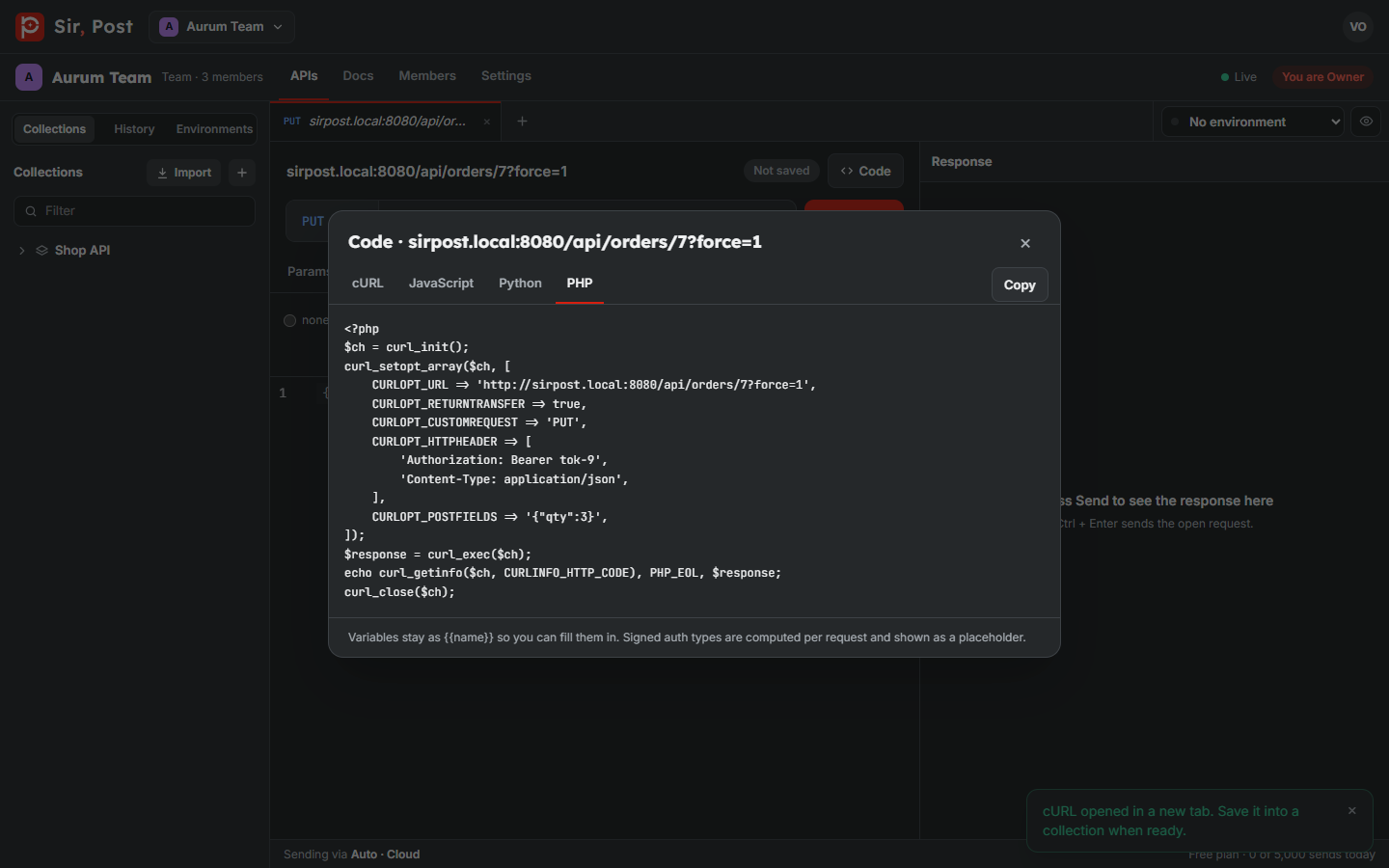
Publish a public link
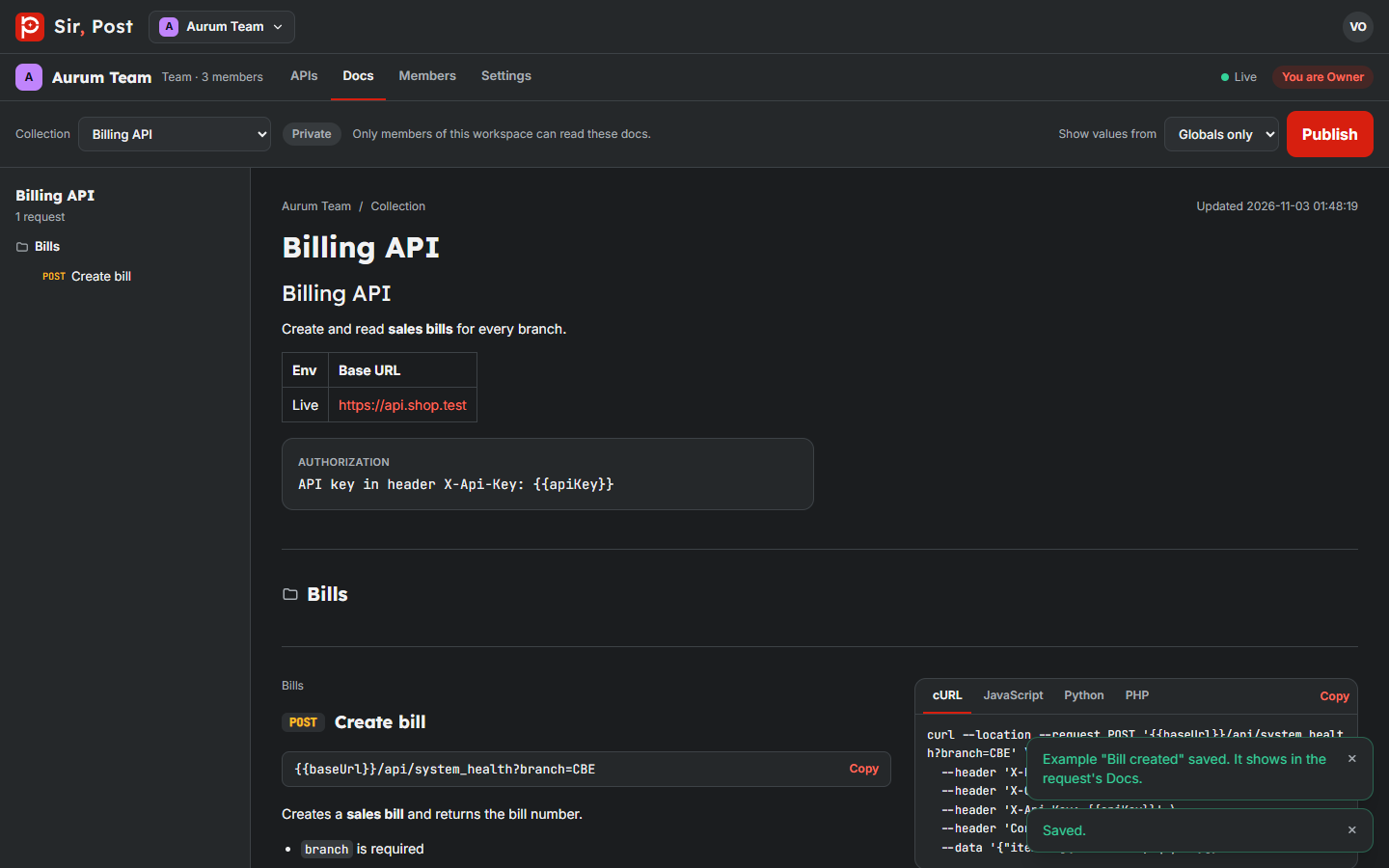
- Open the workspace's Docs tab.
- Pick a collection, choose which environment fills the variables, and click Publish.
- Click Copy public link and share it.
The public page is read-only and updates live when the collection changes. Authorization secrets and credential-looking headers are hidden, unless they are only a {{variable}}.
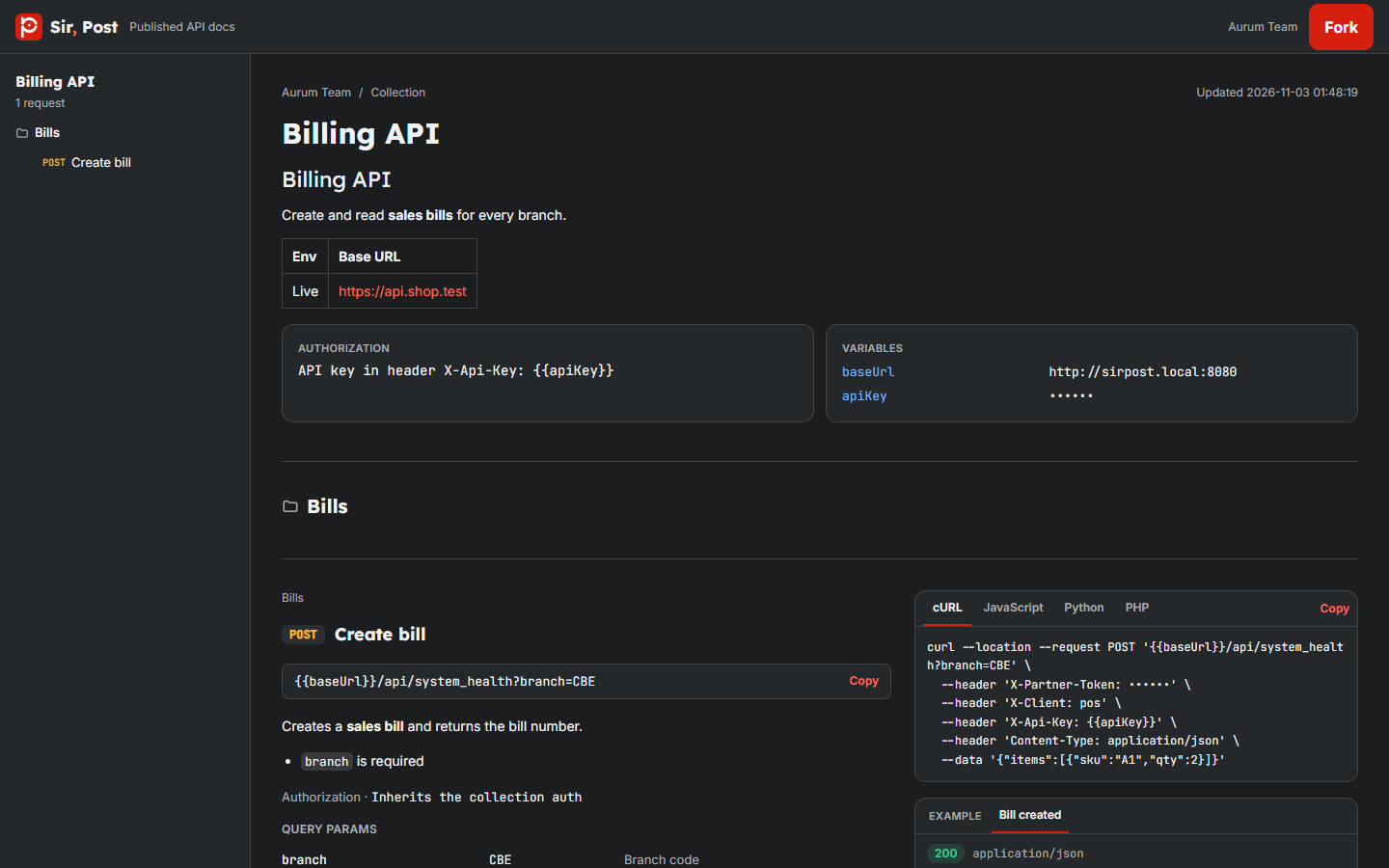
Click Unpublish at any time to turn the link off.
Fork
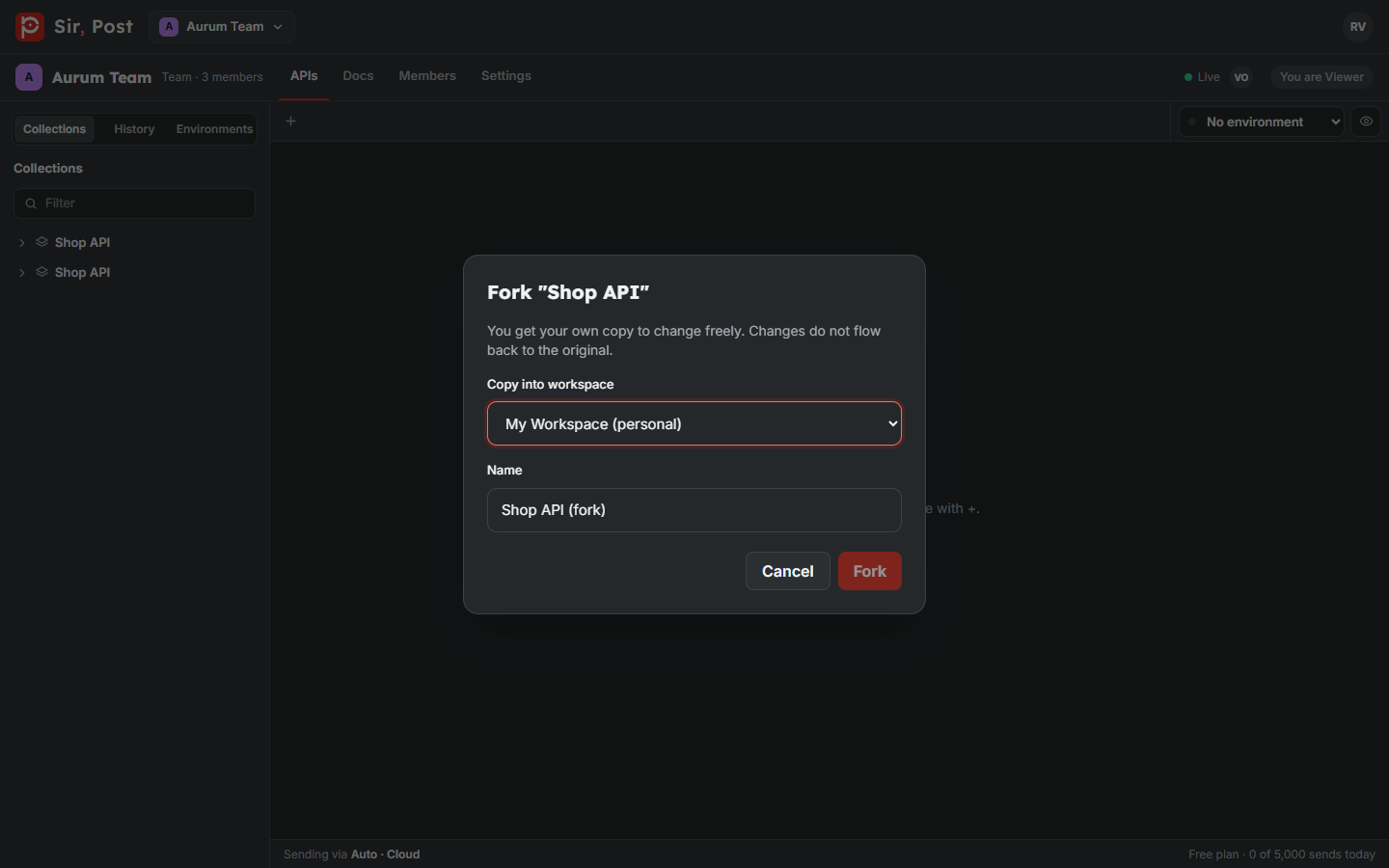
Anyone with a Sir, Post account can Fork a collection from a public docs page, or from a workspace they can view, into their own workspace and change it freely. Secrets never travel with a fork.
Did this help? If not, ask us.
Next: Backup and restore →