Environments and variables
Switch between Dev, UAT and Live with {{variables}}, and keep secrets safe. · 5 min read
Why environments
Put values that change between servers, such as baseUrl or a token, in an environment. Then write {{baseUrl}}/bills in your requests and switch environments with one click.
Create an environment
- Open Environments in the left panel and click New environment.
- Add variables: a name, a value and, for passwords and keys, mark them Secret.
- Save.
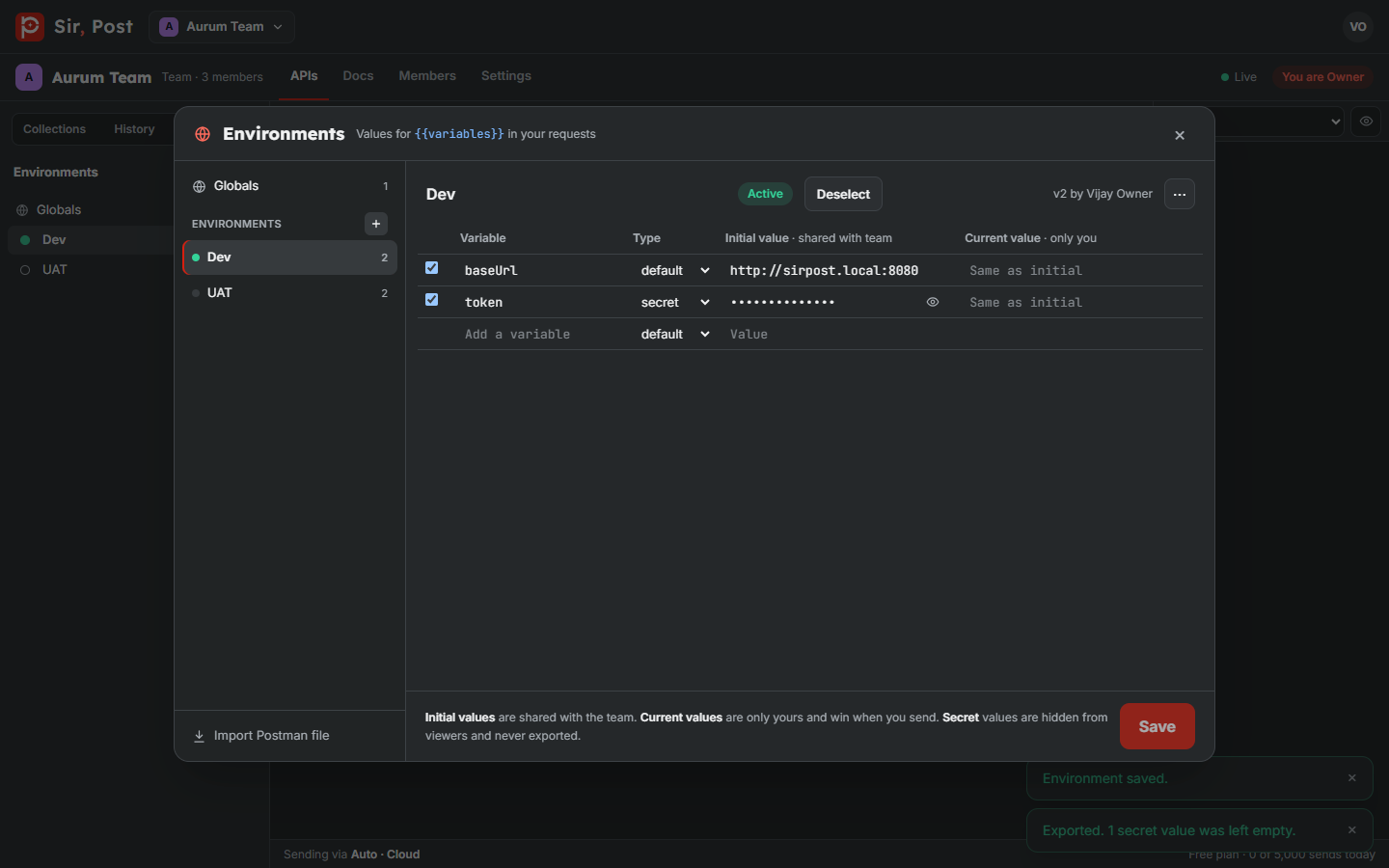
Globals work like an environment that is always on. A variable in the active environment wins over the same name in Globals.
Pick the active environment
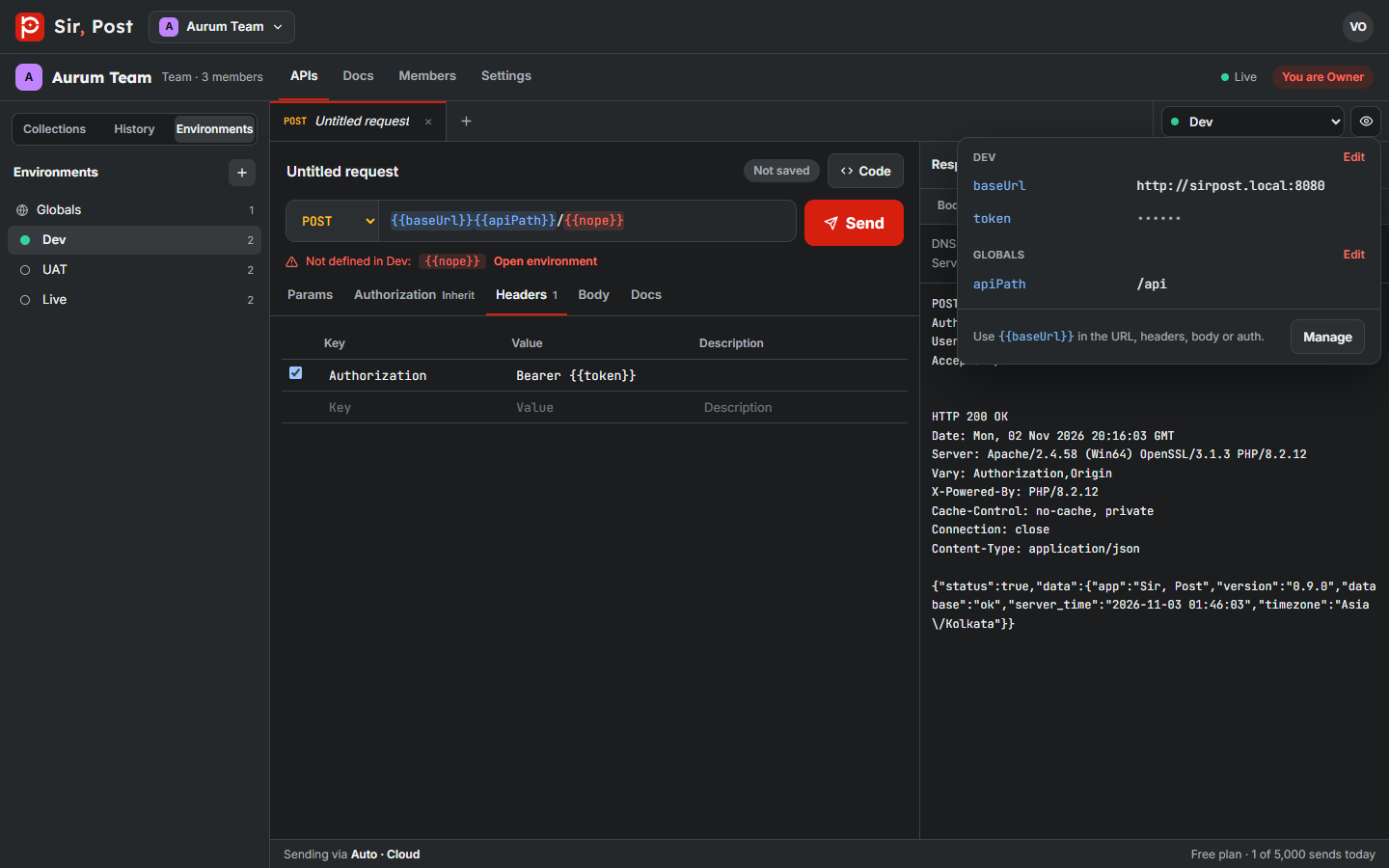
Use the environment picker at the top right. The eye button next to it shows a quick look at every value.
Current values are private
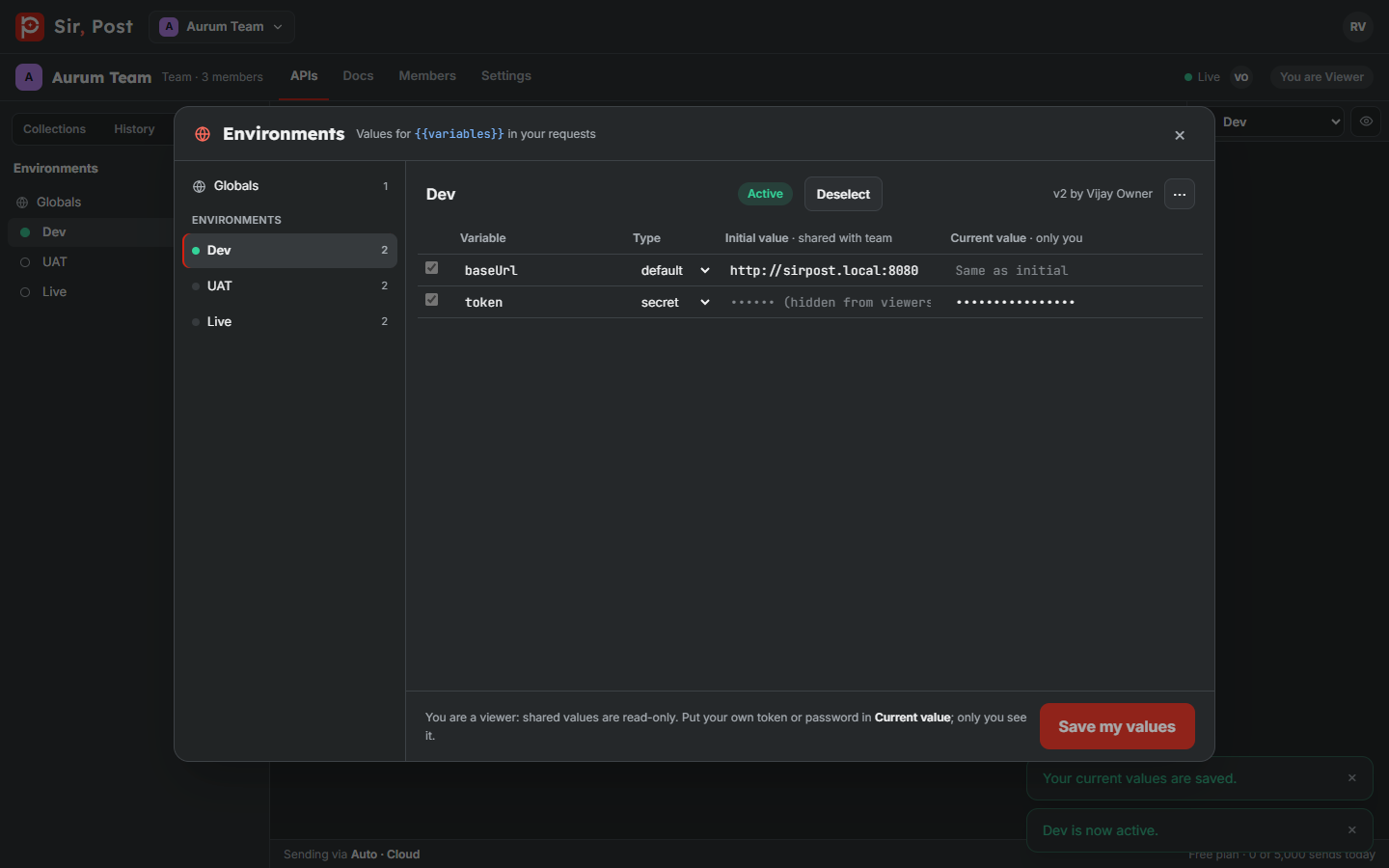
Each variable has a shared value and, for you only, a current value. Use current values for your own token: teammates never see them.
Secrets
- Secret values are encrypted on our servers.
- Viewers see •••••• instead of the value, but can still send requests that use it.
- Secrets are masked in history and never exported or forked.
Spot mistakes before you send
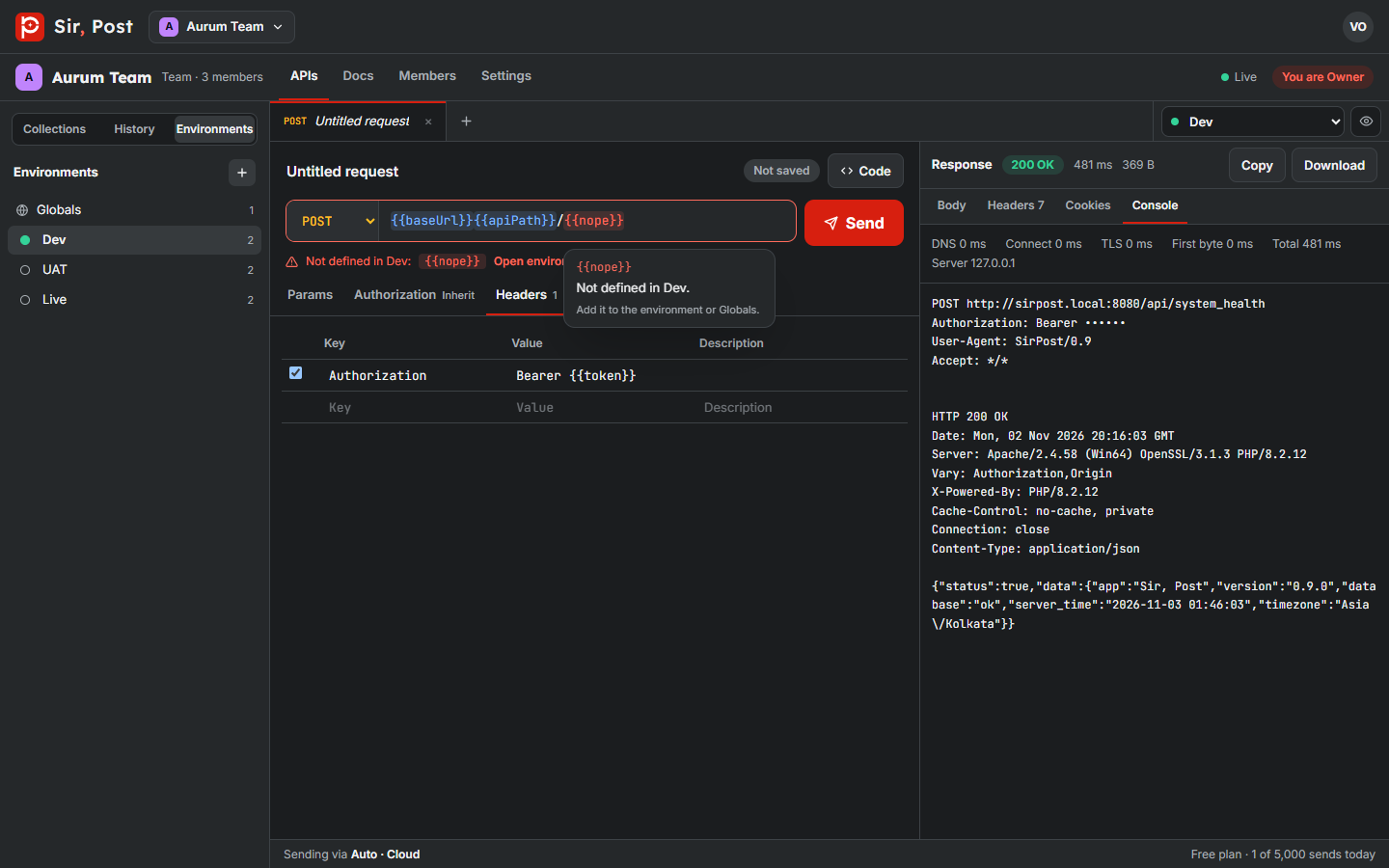
Hover a {{variable}} in the URL to see its value. A variable that is not defined anywhere shows in red.
Dynamic values
These fill in fresh on every send: {{$guid}}, {{$randomUUID}}, {{$timestamp}}, {{$isoTimestamp}}, {{$randomInt}}, {{$randomAlphaNumeric}}, {{$randomBoolean}} and {{$randomEmail}}.
Did this help? If not, ask us.
Next: Authorization types →