Signature Builder
Sign payment gateway and partner API requests without writing a script. · 5 min read
Some APIs, especially payment gateways, want a signature made from parts of the request: a hash or HMAC of the body, the path, a timestamp and a secret. The Signature Builder makes it for you on the server at the moment of sending.
Start from a template
In Authorization, choose Signature Builder, then pick one from Start from a template:
- PhonePe X-VERIFY (Standard Checkout v1): SHA-256 of the base64 payload, the endpoint and your salt key, sent as
X-VERIFY: <hash>###<salt index>. - Body HMAC-SHA256 (Razorpay-style webhooks): HMAC of the exact body, handy for testing your own webhook endpoint.
- Timestamp + body HMAC: signs
timestamp.bodyand sendst=…,v1=…. - Timestamp + method + path + body HMAC: a common partner and exchange API scheme.
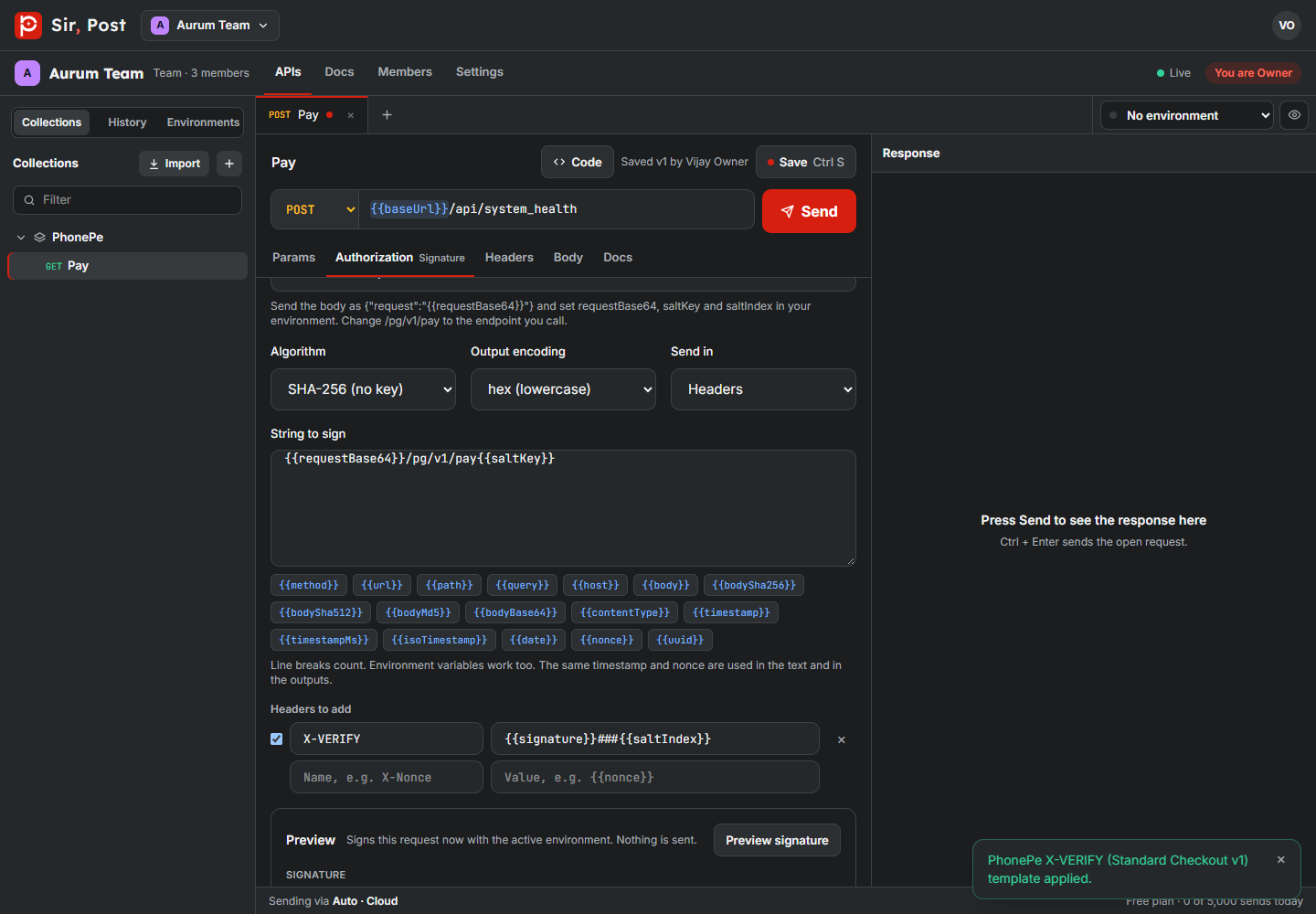
Each template tells you which variables to set, for example requestBase64, saltKey and saltIndex for PhonePe. Put them in your environment, mark keys as Secret, and you are done.
Build your own
- Algorithm: HMAC-SHA256/512/384/1, HMAC-MD5, or a plain SHA-256/512/1 or MD5 hash.
- Secret key: for HMAC. Tick Key is base64 if the provider gives you a base64 key.
- String to sign: type the text and insert request parts with the buttons:
{{method}},{{path}},{{query}},{{body}},{{bodySha256}},{{timestamp}},{{nonce}}and more. Line breaks count. - Output encoding: hex, HEX, Base64 or Base64 URL-safe.
- Headers to add (or query params): use
{{signature}}wherever the result goes, for exampleX-Signature: v1={{signature}}.
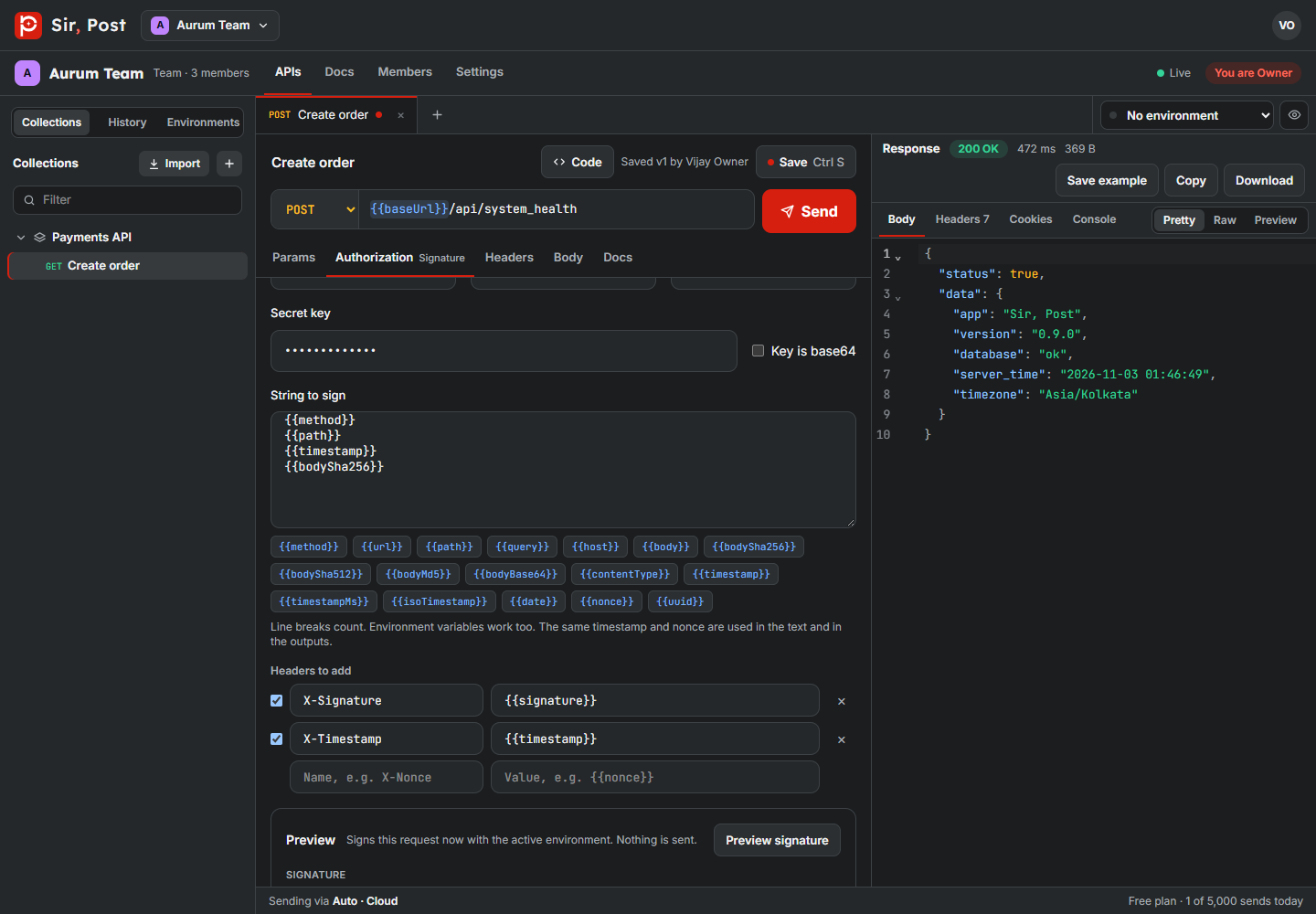
Click Preview signature to check the string that was signed and the final headers before you send.
Always compare with your provider's documentation. Gateways change header names and the order of the parts between versions.
Did this help? If not, ask us.
Next: Scripts and tests →